

If you make a purchase after clicking on links within this article, Lee Enterprises may earn affiliate commissions. The news and editorial departments had no role in the creation or display of this content.
Reviewers say the best AI headshot generators for influencers deliver lightning-fast, professional-grade photos with no wait or expensive studio fees. Many influencers now use these to keep up with content demands and brand requests.
AI headshot apps leverage intelligent technology to enhance images, replace backgrounds, and adjust lighting for a professional appearance. To assist you in sifting through numerous options, this article highlights reviewers’ standout choices with tangible benefits for online influencers.
Reviewers’ Key Takeaways
- Influencers can choose from a variety of AI headshot generators, each offering unique features such as realistic images, creative controls, and artistic styles to suit different branding needs.
- Some emphasize simplicity, enabling novices to design and modify expert headshots using intuitive controls and fast runtimes.
- Many have templates and customization options for social media and marketing, simplifying content creation tailored to different platforms and campaigns.
- It’s accessible with free basic plans, e-commerce platform integration and low-cost subscriptions for budget-conscious users.
- Image quality and ethics, such as copyright ownership and satisfaction guarantees, are important factors addressed by top AI headshot generators.
- Embracing these tools allows influencers to create compelling, customized, professional images that ultimately help them stand out and engage worldwide audiences.
People are also reading…
1. Portrait Pal
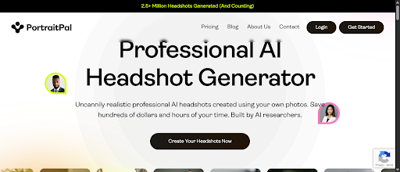
Portrait Pal impresses reviewers with its array of lifelike headshots and easy process. Your users get over 80 different headshots per individual, each in eight different locations. From vibrant office settings to subdued backgrounds, the options assist content creators in tailoring their look for brand or campaign requirements. The images are of natural skin tones, crisp details, and dynamic lighting, just like you’d get from a professional shoot.
Starting with just a few good photos, Portrait Pal’s algorithm generates infinite possibilities without requiring a heavy photo upload. Just upload six selfies, for instance, and you get back dozens of refined, studio-like portraits. Simple steps walk you through uploading, selecting styles, and previewing the effect.
No tricky menus mean even AI photo rookies can breeze through. The dashboard organizes headshots by location, outfit, and pose, so it is easy to browse and compare prior to download. Quick drag-and-drop features and one-click selections help minimize setup time. To suit varying requirements, Portrait Pal provides downloads in a number of different resolutions.
High-res images are great for print portfolios or press kits, while low-res ones are perfect for quick-loading social profiles or thumbnails. Premium users receive 100 headshots in less than 30 minutes, with up to 40 outfits and backgrounds included. Influencers who require content for different platforms can select the appropriate file size for each occasion without additional processing.
Ethical use and copyright ownership continue to be a priority area for Portrait Pal. Users maintain full rights to what they create, so no hidden claims exist. The service doesn’t save images for AI training or exchange information with external entities. That way, privacy remains intact, and influencers are free to use their faces on commercial projects without concern.
A creator can supplement brand campaigns or website headshots with the confidence of owning the rights. With more than 5 million generated headshots to date, Portrait Pal has shown itself as a trusted and sought-after option. Portrait Pal’s $75 premium package offers fast processing, many options, and solid privacy.
2. Artbreeder
Artbreeder is unique in that it allows you to exert a lot of creative control over your headshots and images. On the site, sliders allow you to adjust almost any element of a picture, ranging from the face shape to skin tone to hair style to the background. This hands-on method allows you to begin with a base image and then adjust each feature until it matches your personal brand.
One of the major attractions of Artbreeder is its community-based blending feature. Users can combine their uploaded photos with other ones in the community to generate novel images. For instance, a user could merge their own headshot with another user’s piece of art, replacing the hairstyle or merging in artistic backgrounds.
This blending is simple and provides near limitless creative possibilities, allowing you to quickly experiment or blend styles found difficult elsewhere. It’s particularly helpful for influencers who’d like to make their content new and visually interesting.
Artbreeder’s community features distinguish it. Artbreeder encourages users to share their creations, so you can easily scroll through a gallery of new images created by folks around the globe. Checking out other people’s creations can inspire your own content or provide a healthy dose of motivation if you’re in a rut.
Bonus is the variety of cool artistic styles to choose from. Artbreeder takes things a step further, using generative adversarial networks (GANs) to create artwork beyond simple photo modifications. Users can try out surreal, abstract, or hyper-realistic looks, which can help influencers stand out in a crowded field.
Still, it has some caveats. Reviewers say Artbreeder might have server problems and a sometimes complicated UI. There are questions of authenticity, biases, and stereotypes that can pop up because of how the AI is trained.
3. Fotor
Fotor impresses reviewers with its broad arsenal of editing tools that make headshots pop. The platform’s AI headshot generator lets users immediately convert an uploaded photo into a studio-style portrait, all in a browser. Fotor’s tools allow users to swap the background, adjust skin tone, add lighting, and enhance sharpness.
For instance, an influencer can soften blemishes, highlight the eyes, or change backgrounds to fit a brand’s color scheme. It’s simple, so even you can perfect your mug without a lot of editing expertise.
Fotor too comes with built-in templates made for social media. Every template matches popular social media platforms’ standard sizes. This allows influencers to immediately use the headshots without having to crop or resize.
Fast turnaround is another bonus. Fotor’s AI analyzes facial characteristics and generates fresh headshots in seconds or occasionally a few hours for more intricate designs. This speed allows influencers to satisfy tight publishing deadlines or refresh their style on short notice.
Free re-generation is available if the first result isn’t a good fit. For instance, if a photo appears overly cartoonish or doesn’t sit well, you can retry at no additional charge. This gives you some flexibility, as a few of the results tend to appear more stylized than realistic.
Price is a winner for Fotor, which counts for something for budget-conscious influencers. It provides a free trial with a daily credit allowance of 8 credits. These credits enable watermark-free image creation.
Subscription plans are on the lower end compared to most competitors, granting users access to premium features and more credits. Newbies can begin for free, try out the tool, and then upgrade if it suits their needs. This is what makes Fotor a great option for users who want professional results but need to adhere to a budget.
4. DeepAI
Reviewers say DeepAI is unique in providing an AI-driven headshot generator that creates premium professional-grade images. The platform uses high-powered GPUs to train its models, enabling it to learn different facial features from images. In other words, the AI can read subtle indicators such as your eye shape or smile arc and then use those features to generate a headshot that closely resembles reality.
Most users report that DeepAI’s images have crisp lines, organic skin tones, and sharp focus. An influencer wanting a slick headshot can upload a crisp selfie and obtain a high-resolution output geared for professional platforms or media kits.
The platform is noted for its simplicity, even to non-techies. DeepAI keeps the workflow simple. Users begin by uploading straightforward, forward-facing selfies – no professional camera equipment required.
The on-screen guides assist with photo selection and style selection. Once the images are uploaded, the AI sets to work and typically returns completed headshots in under two hours. This rapid turnaround is achievable due to efficient use of state-of-the-art GPUs and savvy software engineering.
Free access to the basics renders DeepAI very accessible. Anyone can begin producing headshots with no upfront payment, a major advantage for newbie influencers or those wanting to experiment, risk-free.
The fundamental plan encompasses the core functionalities, allowing users to experiment with the AI’s capabilities and witness the quality firsthand. For specialized features or additional downloads, there are paid plans, but the free level spans enough territory for most casual needs.
Another power is the diversity of output types. DeepAI allows users to choose various styles, backgrounds, and poses for their headshots. Presets are available for formal, creative, and casual looks on the platform.
Users may need a simple background for a business profile or a colorful backdrop for a lifestyle blog. With a range of styles and poses, the very same AI tool works for multiple channels, from LinkedIn banners to Instagram stories.
5. Avatarify
Avatarify is passionate about playful AI-powered headshots, letting you create avatars that are vibrant and contemporary. Many users just upload a photo, select from a set of virtual looks, and receive back headshots that fit both informal and formal aesthetics. For social media, these avatars can express a playful disposition or even establish a warm mood.
Among other things, Avatarify’s real-time video app lets you bring avatars to live calls or streams. Users can display their modified headshots as a virtual mask atop their faces on video calls or livestreams.
For influencers who do Q&A or livestream tutorials, transforming into a digital avatar can make the stream more dynamic and retain viewer engagement. This rapid toggling between your authentic self and your avatarized self creates excitement and is frequently rewarded.
For giving your avatars a personal touch, Avatarify has a series of style and customization parameters. Users may customize facial features, select hair color, modify expressions, or select backgrounds. Certain tools even allow users to align their avatar with trending or seasonal themes, such as sporting sunglasses in the summer or wearing a Christmas hat during the holidays.
This degree of control allows influencers and creators to customize how they show up online, aligning their avatars with their brand or vibe with minimal effort. Distinctive, personal avatars can differentiate social media accounts and generate more activity.
Avatarify’s turnaround is typically brief, with some clients receiving results within 1 to 2 hours. Pricing varies, with certain versions being free or available at a low cost and others potentially charging for advanced features.
Headshots quality can vary depending on the tool and photos uploaded.
6. PhotoRoom
PhotoRoom scores with its background remover that swiftly whisks away busy or cluttered environments. With just a few clicks, you can transform a typical home or cafe photo into a crisp, white background headshot. This helps influencers craft crisp, professional shots that translate well on social profiles or online portfolios. The magic is simple. Users drag and drop a batch of 7 to 40 photos and the tool does its thing.
PhotoRoom does not save photos or videos beyond 24 hours, so privacy concerns remain minimal. The interface remains simple for both novices and experienced users. All the core tools sit up front, with obvious labels and no hard learning curve. Users select their photo, initiate the background removal, and refine the output with drag-and-drop or easy sliders.
If it looks off or needs a little tweak, the tools are easy to find and use. The headshot creation process varies from 60 minutes to 48 hours based on demand and traffic. This timing is still generally quicker and easier than scheduling a conventional photo shoot.
PhotoRoom provides an extensive selection of templates designed for various purposes. Influencers may select layouts for business headshots, brand partnerships, or social media banners. If you’re advertising a new product or service, there are e-commerce, event, and profile branding templates to choose from.
Starting at $20.83 per month on a yearly plan, reviewers say it is far more affordable than headshot photography, which can run between $232.50 and $262.84 per session in the US.
7. HeadshotPro
HeadshotPro specializes in creating professional-level headshots that resonate with business and personal brands. Using its tools, users can craft a polished online profile without a studio appointment. HeadshotPro provides influencers, freelancers, and professionals with a means to present a polished image across online business-related social platforms and even corporate sites.
Rapid outcomes distinguish HeadshotPro. Users upload selfies from the comfort of home, select their preferences, and receive hundreds of professional headshots by noon. There is no waiting for a studio shoot or post-processing lag.
Each combo receives 10 unique headshots, so you have ample variety to choose from with no recycled looks. Custom choices assist users in distinguishing themselves appropriately for their industry. HeadshotPro lets you choose from over 100 backgrounds, outfits, and styles.
In addition to headshots, HeadshotPro provides access to a suite of branding tools. Packages begin at $29, which is significantly less than the $232.50 average cost of an in-person headshot in the U.S. Users receive the convenience of flexibility, value, and quality without a studio appointment.
8. AI Picasso
AI Picasso distinguishes itself with a bold artistic style and a wide creative scope. It uses cutting-edge AI to transform simple text descriptions into striking digital artwork in mere seconds. Each headshot or avatar emerges as one of a kind due to state-of-the-art text-to-image synthesis. This is why users receive a fresh, non-repetitive look each time.
A big plus with AI Picasso is the wide variety of art styles. He has over 100 models and styles to choose from. For instance, users can experiment with watercolor, oil painting, pop art, or even cartoon-esque appearances. All three choices alter the mood and vibe of the headshot. This allows influencers to align their digital visage with the mood of their brand or campaign.
For those looking to have a soft, ethereal feel, the watercolor settings are great. For those looking for a more powerful image, they could choose the pop art or oil painting styles. You don’t have to commit to a single style; flipping between them is simple and fast.
AI Picasso includes a community sharing feature that unites users. After crafting a headshot or avatar, users can swap their designs with other users in the platform’s gallery. This open gallery features headshots from across the planet. It’s a source of inspiration, a place to shop around for looks, and check out what’s hot.
For influencers, being different is the name of the game. AI Picasso provides unlimited image creation whenever you want, so you can experiment with styles without stress. With cutting-edge AI avatars, digital identities appear realistic but retain an artistic flair. This assists online presences and campaigns in standing out from the pack.
Conclusion
Reviewers say each AI headshot generator on this list offers influencers an opportunity to shine. Some emphasize crisp edits, some toy with style. For fast edits, PhotoRoom strikes rapidly. For wild concepts, Artbreeder allows you to combine and blend appearances in moments. Portrait Pal keeps it professional, with clean results that match any brand. Choosing the best tool depends on the style you’re going for and the time you have. Experiment with one, discover what resonates, and observe your feed attract more attention. Looking to refine your digital presence or experiment with a fresh look? Go ahead and try some. Your next scroll-stopping shot is just a click away.